Posts Tagged ‘ppv’
Have you ever been testing out a new PPV campaign with a budget of $25 a day and found that it’s all used up before 5pm? This is one area that PPC withGoogle AdWords has spoiled us: you can choose whether you want Standard or Accelerated ad spend, and with Standard it will evenly price out your clicks through out the day. Most PPV networks do not do this.
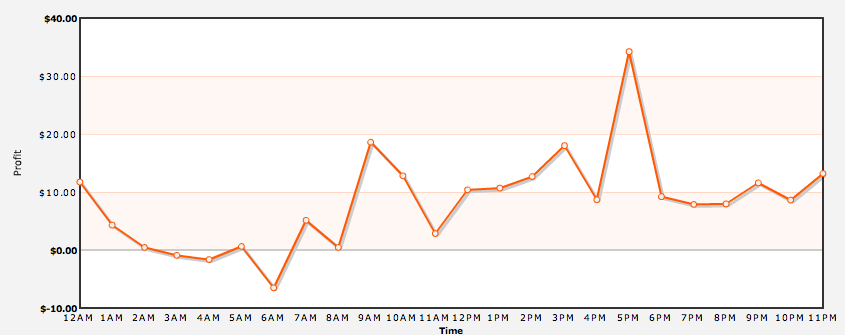
Today I noticed that with Zango you can actually do day parting, which is choosing which hours of the day you want your ads to be displayed. I wouldn’t necessarily recommend turning this on right away if you are testing a new campaign, but it certainly is handy if you are blowing through your daily budget without getting any conversions. In many verticals, it is not until the evening hours that they really start converting. People are home from work, kids are home from school, people are surfing the net without worrying about the boss looking over their shoulder. Besides, it’s more likely that the home computer is where the AdWare client is installed anyway.
To do this in Zango, just login to your account, click on the campaign name you want to add day parting to and click Edit Campaign. Right above the Save Changes button you will see a new link called Advanced Options. Click this and it will pop up a window with all the different days of the week and hours of the day. You can also turn specific days of the week off, like if you only wanted to run your ads during the weekend.
Along with day parting, there are also Campaign Caps on this menu. This will let you set a daily budget for specific days which overrides the Campaign-level daily budget. This is great if you are finding that certain days provide a large amount of conversions, and you want to crank up the ad spend to take advantage.
It may not seem like much, but little tools like this can really help you optimize your campaigns and squeeze every last bit of ROI out of your PPV traffic.
So if you’ve been following this little series of posts on marketing CPA offers with PPV, then hopefully you have setup a few campaigns, tested some things out, and perhaps even found a winning campaign or two. I consider it a winner when it is profitable at all. It might be making $100 a day or $10 a day, but you are in the black. So what’s the next step? Today we are going to talk about scaling your campaigns with PPV.
The first step is going to be checking up on your results from the tracking that we have installed. Before we scale a campaign we want to make sure to “trim the fat” from your initial group of keywords. Using Prosper202, we have been tracking exactly which keywords / URLs your traffic has been coming from, and most importantly, which ones are converting for you. My rule of thumb is pretty simple: I like to spend at least the amount of the offer’s payout per keyword / URL before deciding if it is a winner or a loser. Now this can be adjusted depending on your tolerance for losing money, but if you’ve got an offer that pays $20 per lead, and you kill a keyword at $10 of spend, then you might be losing out because even if you spend $18 to make $20 it’s still a profit. At times, if you are convinced that the campaign will be profitable but you are still tweaking your Landing Page or something, you can spend 2x the payout if you wish. It’s up to you, I’m just giving you a good place to start.
Typically, what I find is that the #1 URL (the one getting you the largest amount of traffic) is not going to be profitable. This is not a rule, it’s just a trend I’ve noticed on my campaigns. For example, I was running a dating campaign and noticed that over 50% of my ad spend and traffic were coming from Match.com, but I hadn’t received a single conversion for that URL. Since I had spent more than the payout (which was around $3), I paused Match.com. The day after that my traffic went down drastically, but my conversions stayed about the same. Guess what that meant? That’s right, this campaign went from the red to the black overnight.
Once you have trimmed the fat, you are going to want to find more traffic for your offer. There are two ways we can scale a PPV campaign. The first one is obvious, to try to find more URLs. This definitely works, but it can be more time consuming because the whole process starts all over again. The easiest way to scale a profitable campaign is to copy it over the the other PPV networks.
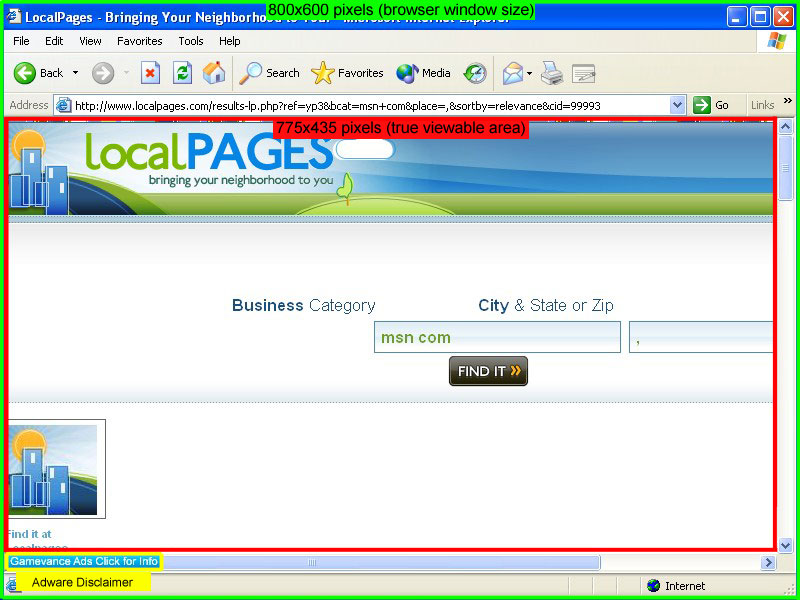
Unlike PPC, where you know that if you are on Google you are hitting roughy 70% of the market by advertising there, with PPV each network has a different user base. Zango, for example, installs their software when someone downloads a free Screensaver program, a toolbar, or some other PC tool. On the other hand, TrafficVance installs their software when users play games from the GameVance website. Do you think that those user groups are going to have some different people in them? Absolutely. This is why I would recommend unpausing all of your “losing” keywords and starting the trimming the fat process over again with each new PPV network. Just because a URL didn’t convert on Zango doesn’t mean it won’t convert on TrafficVance, and vice versa.
Since there are five major PPV networks, this is going to give you lots of places to try out your campaigns until you have a good sized profitable campaign going. Once you have done this, it’s time to start all over again and find a new winner!
Now go make some money.
Edit 07/27/2009: Prosper202 has added native support for Media Traffic, so this method is no longer necessary to run with MT. Feel free to use it for other networks that don”t yet work correctly with P202.
First off, let me say that I am a huge fan of Prosper202. Whether you use the self-hosted Prosper202 version (my preference) or the online Tracking202 version, this is one of the greatest tools to come along in affiliate marketing in a long time. Although it was designed primarily as a PPC tool, as PPV is gaining more favor with affiliates it is becoming more and more essential to track which URLs are converting for them.
The tricky part is deciding what is the best way to setup a campaign with a PPV network using P202. With PPC, using the Big 3 Search Engines, you can use the dynamic keyword insertion function to make it easy. Zango and Media Traffic do have a form of pass-through, but I haven””t been able to get it to work correctly with P202 because it passes extra variables along with your keyword/URL.
The method that I use may seem cumbersome, but it”’’s actually not too bad with a couple of free tools. What I do is create a unique destination URL for each URL that I am targeting on the PPV network. By doing this, I can make sure that the keyword/URL info is precisely as I want it to be displayed in P202. When you setup your campaigns on P202, it will give you a link like this:
yourdomain.com/tracking202/redirect/dl.php?t202id=4459&t202kw=
You will need to add the URL or keyword that you are tracking at the end of the URL after “t202kw=”. You can do this manually, which can take quite a while if you are doing 1,000+ URLs at once, or you can make it easy.
First, download John Hasson”’’s JAH Simple PPC tool. It is a very handy little program, and it looks like this:
It is designed for creating a large number of long tail keywords with just a couple of clicks, but we are going to use it to create our destination URLs. Just take your P202 link and put it in List A in JAH Simple PPC. Then, take your list of URLs that you are targeting and put it in List B, then hit Generate Keyword Combinations. Now that we have our list, we need to get them uploaded to the PPV network.
With Media Traffic, you will want to download their Bulk Upload Form. Once you have the form, just hit Copy Final KW List To Clipboard in JAH and then paste it into the Destination column in the MT form. Next, copy the list of URLs that you used in List B (JAH) to generate your tracking links, and paste that into both the Name column and the Target column in the MT form. The Name is just an internal reference for MT, so I use the URL as the name. Next you set your bid price (just do the first couple then copy it down to all of them with Excel).
Once that is all set, you upload it into your new campaign at Media Traffic, and you are good to go! If you are using Zango, you will need to use their Bulk Upload Form. Be sure to bookmark this link, because there is no way to get there directly from the Zango interface.
Now that you can track your URLs, it’s time to make some money.
Disclosure: http://cmp.ly/5
We all know that landing pages are a very important part of PPC marketing, but it is important to realize that they can have a huge effect on your PPV (Contextual) campaigns as well. It seems like most people that start PPV are just doing it to direct link. It is quite attractive to forget about all the variables except the offer and the URLs you are targeting, but you might be hurting yourself in the long run by doing this.
For example, I was experimenting with a ringtones campaign on Media Traffic. I had about 1,000 URLs setup for my targets, and I decided to just start with direct linking by grabbing my Contextual Affiliate Link for the campaign (it was Ringtones.net at affiliate.com). It started getting traffic immediately after I set it live, and before the day was out I had about 1,000 views (displays) on the offer. To my dismay, there wasn’t a single lead showing!
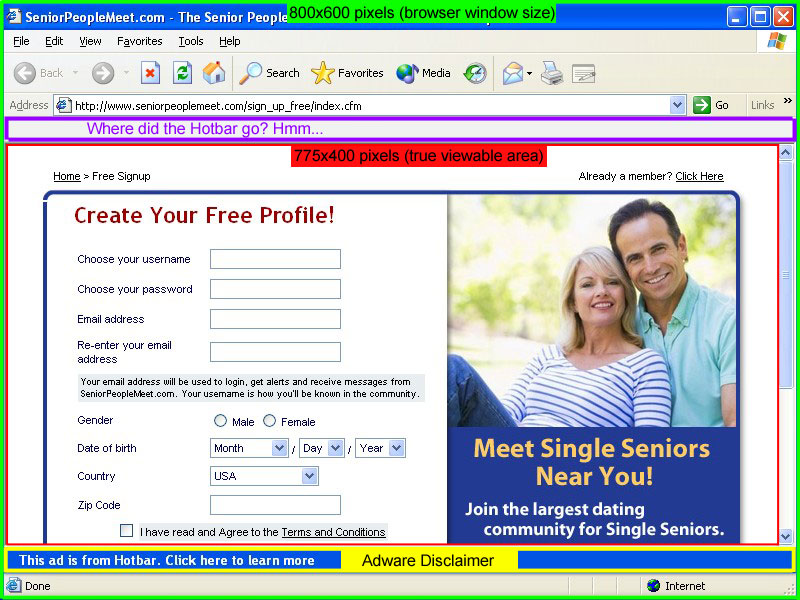
What I didn’t realize initially is that Media Traffic only displays a 750 by 550 window for your ad. Once I tested it, I realized that with the smaller window size a good portion of my ad was being obscured. No wonder it wasn’t converting very well, they were only looking at half of a landing page! I asked my account rep, and he confirmed that 750 by 550 is the max for MT as of now. They are considering going to 800 by 600 (like Zango) sometime in the future.
This was what led me to create my first landing page for a PPV campaign. The main reason was so that I could control exactly what was being viewed by the user when my ad pops up. For starters, I made sure that the LP I created was exactly 750 by 550. There would be nothing obscured this time. Also, with PPV you don’t have to worry about putting a bunch of arbitrary text on the page, because there is no Quality Score issues or “User Experience” to worry about. The results to my initial LP were very promising. I put it up on Friday night, and by the end of the day Sunday I had generated a 20% profit. Not too shabby for the first try.
I quickly realized that one of the other benefits to having an LP is that you can tell how many people are clicking on your ad and determine your click-thru ratio. If you are just direct linking to the Contextual link then you will lose all your click data, and impressions and leads alone are not enough info to tweak your campaign for the maximum profit. On my page for example, I found out that I was getting about a 2.3% CTR. The next step would be to play with the ad copy & images on the landing pages to get a higher CTR. For PPV, it needs to be something eye-catching so they don’t just immediately close the window when it pops up. Consider what page they are going to be viewing already when the ad pops up, and consider modeling it after the design of that page.
Whatever you do, testing is the key. The right ad, displayed to the right people, is what creates a killer campaign. Now go make some money!